Week 2 · Day 4 · #w2d4_animating-stills
The class lab book
We split into teams, each hacking a different corner of an AI animation tool, then reported back what actually worked. This is what the class now knows, and how we found out.
Experiment 01· A/B · 2 teams
Camera Control
Can you direct a camera move just by asking for it in the prompt?
▸ Prompt: "do a zoom out"
It was a little bit difficult but we told to the ai to do a zoom out.
Mariana T.· You Already Knew
▸ Zoom + a tighter prompt
in this video we learned how to use the zoom of the camara an how to make god prompts
Indira· Nopal in Seol
What the class learned
Yes. Name the move ("zoom out") and it obeys. Phrasing takes a couple of tries, so pair the move with an otherwise clean prompt.
Experiment 02· A/B · 2 teams
Prompt Economy
Does packing more into one prompt give you more control?
▸ Many concepts, one prompt
Terrible, We learned that mixing a lot of concepts in one simple prompt can confuse the AI, thus creating weird stuff
Noé M.· The White Hanbok
▸ Loose, unfocused prompt
we had problem here because of a bad prompt we did, and started making so many strange faces
Connie C.· Hollowskin Group
What the class learned
No, the opposite. Two teams overloaded their prompts and both degraded (weird artefacts, distorted faces). Say one thing clearly; add detail only once the base shot holds.
Experiment 03· A/B · 2 teams
Fixing a Detail Without Re-rolling
When one detail is wrong, must you regenerate the whole shot?
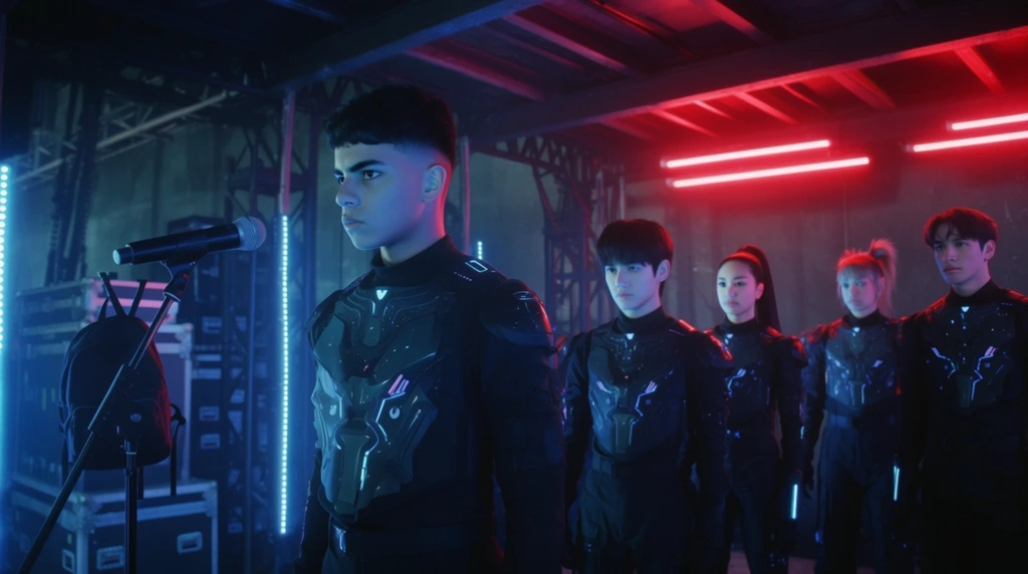 Worked
▸ Edit tool on the wrong region
We had difficulties with the nationality of the characters because they are suppose to be korean but the AI sometimes makes them look like latinos so we used the edit tool to make them Korean
Aylin R.· BTS Project
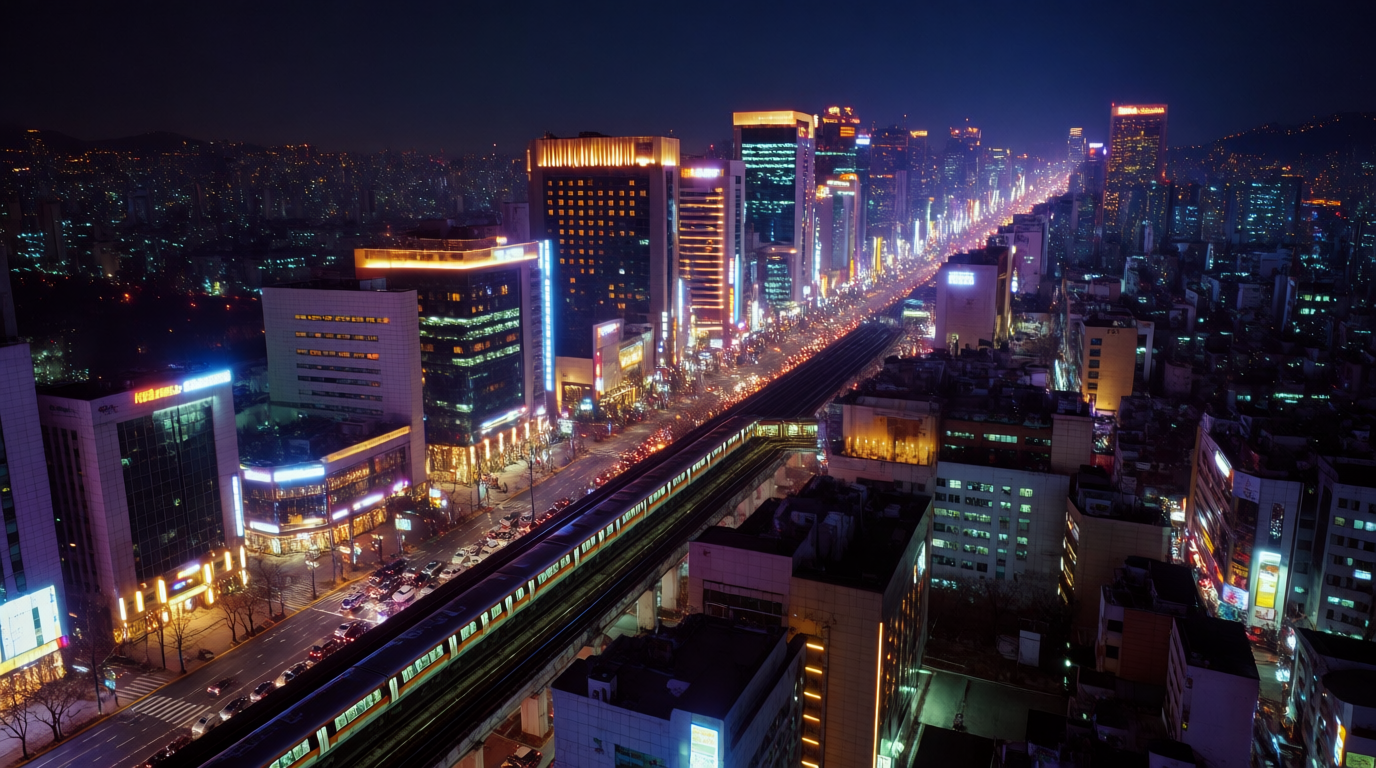 Worked
▸ Select the whole area + retry
Try selecting everything, not just one part, so the AI doesn’t only work in one area. Also, if it doesn’t work the first time, try adding a little more information and do it again.
Aaron· Dreemteem
What the class learned
No. Mask the region and regenerate only it. The compounding tip from the second team: select the whole area (not a sliver), and add detail on a retry if the first pass misses.
Experiment 04
Start + End Frame
How do you get controlled motion instead of a random animation?
▸ Two stills as start & end frame
we created this scene with 2 images creating them with the start and end frame
A student
What the class learned
Give the model an explicit first and last frame, and it interpolates between them. More predictable than animating a single still.
Experiment 05
Motion Transfer
Can you map one clip's movement onto another?
▸ Transfer motion between clips
Terrible Motion Transfer
Ian F.· Echo
What the class learned
Not reliably in Krea right now. The result was unusable. Animate a fresh generation instead, and re-test this feature next month.
Experiment 06
Character Realism
How close can the AI get to a believable human performance?
▸ Push for a humanlike character
We are able to make characters look more humanly, but we need to act and record ir better
Mila D.· The Last Station the Cure
What the class learned
It reaches humanlike faces, but believability tracks the reference, meaning the performance and recording you feed it. Direct and record the source better.
Experiment 07
Training the Model
Can you teach the model your own subject before generating?
▸ Trial the training feature
Here we were playing and trying the function of training the AI
Connie C.· Hollowskin Group
What the class learned
Team started testing custom training, with no verdict yet. Flagged for a proper A/B next session.
Experiment 08
Stretching Credits
How do you make paid video credits last?
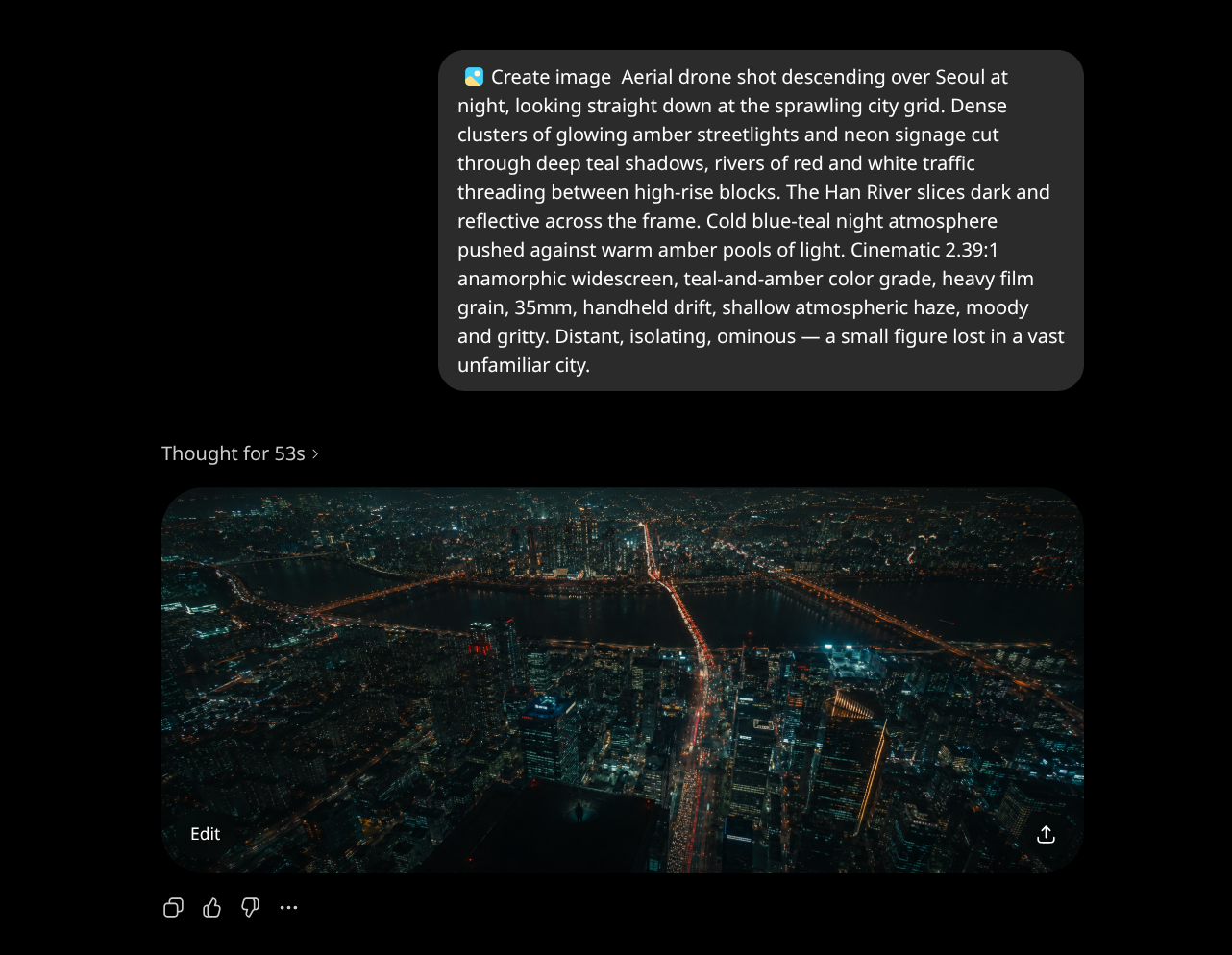 Worked
▸ Free tool for stills, paid for motion
using chatgpt to generate images so i could use more credits for video generation
Mateo M.· El Tigre de Taekwondo
What the class learned
Generate the stills in a free tool (ChatGPT) and spend paid Krea credits only on the video step. A workflow hack the whole class can reuse.
Experiment 09
Tool choice: lighting
Is every tool good at everything?
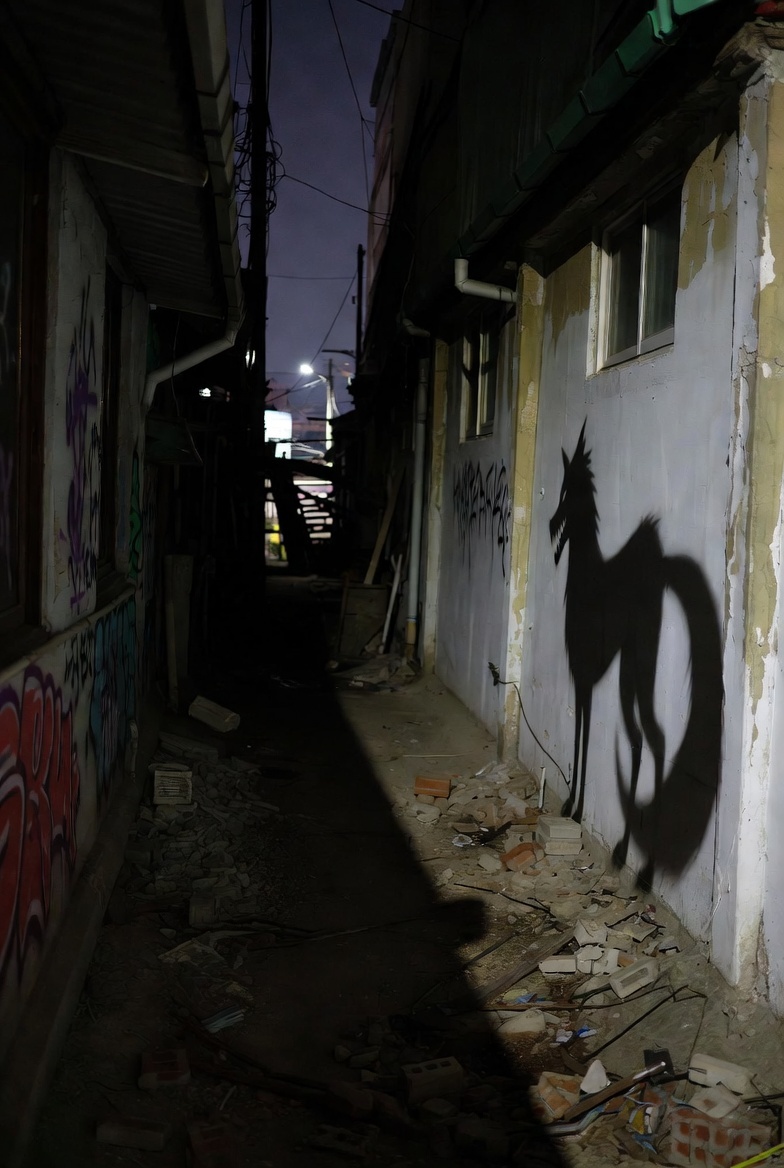 Didn't work
▸ Generate a lit frame in Grok
Horrible shadow - Grok
Ivi· Hollowskin Group
What the class learned
No. Grok produced bad shadows. Route lighting-critical frames to a different tool.